
Forgetting a password can happen at the worst moment. Maybe you are ready to log in and play, or maybe you just returned after a break. Either way, being locked out feels frustrating.
Primo Gaming makes this situation easier. The recovery process is built to be fast, clear, and secure so you can regain access without confusion or long waiting times. Everything is designed so players can get back into their accounts while keeping personal data protected.
This guide explains how password recovery works, what to expect, and how to stay safe from fake links or scams along the way.
Your password is the main key to your account. It protects your profile, game progress, rewards, and any stored balance.
When access is blocked, it does not only stop gameplay. It also temporarily locks your entire gaming experience.
That is why PrimoGaming99 built a recovery system that focuses on both speed and safety. The goal is simple: help real users get back in while keeping unauthorized access out.
Security is always part of the process. Every recovery attempt goes through verification steps to confirm identity before anything is changed.
To stay safe, keep these reminders in mind:
These small habits make a big difference in account protection.
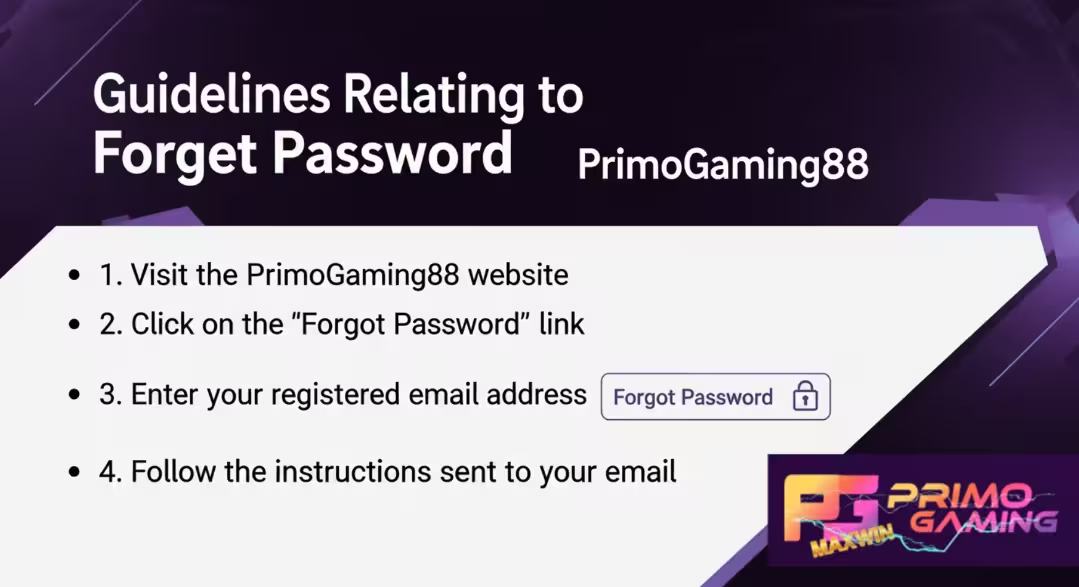
The recovery system is designed so anyone can follow it easily. No technical knowledge is needed. Just follow the steps below in order.
Start by going to the PrimoGaming99 login page using your browser. Always make sure the address is correct before proceeding.
Below the login fields, select the “Forgot Password” option. This opens the secure recovery system.
Input the email address or mobile number used during sign-up. This connects the request to your account.
A one-time password (OTP) or reset link will be sent to your registered contact.
If it does not appear right away, wait a few minutes and check again. Sometimes messages are delayed or filtered into spam or junk folders.
After verification, you will be allowed to set a new password. A strong password should follow these rules:
Once updated, return to the login page and sign in using your new password. Access is restored immediately.
Security is not just a background feature. It is active throughout the entire recovery process.
Every reset request is checked through encrypted systems. This ensures that sensitive data is not exposed or misused.
OTP verification adds another layer of protection. These codes are temporary and expire quickly, which reduces risk of unauthorized access.
If unusual activity is detected, the system may temporarily slow or block repeated attempts. This is not to lock users out permanently but to protect accounts from suspicious behavior.
Even during recovery, your personal data remains protected behind multiple security layers.
Sometimes the reset code does not arrive immediately. This can be due to network delays or filtering by email providers.
If this happens, try the following:
If nothing works after multiple attempts, customer support can step in and help verify your identity manually.
A strong password is one of the easiest ways to protect your account long-term.
Avoid simple combinations like birthdays, names, or repeated numbers. These are easy for others to guess.
Instead, build a Forgot Password that is harder to break but still easy for you to remember.
Good password habits include:
Think of your Forgot Password as your digital lock. The stronger it is, the harder it is for anyone to break in.
Sometimes users no longer have access to their registered email or mobile number. This can make recovery more complex, but it is still possible.
In this case, support will help verify account ownership through other details.
You may need to:
Once identity is confirmed, support will guide you through a secure reset process.
This extra step ensures accounts stay protected, even when contact details change.
Account safety is not only about system protection. User habits also matter.
Here are simple habits that help protect your account:
Good habits reduce risk and keep accounts safer over time.
In online gaming, your account is more than just a login. It holds your progress, rewards, and sometimes personal funds.
That makes Forgot Password protection very important. A weak Forgot Password can lead to unwanted access, while a strong one keeps everything safe.
PrimoGaming99 uses secure systems like encryption and verification tools. But even with strong systems, your Forgot Password remains the first layer of defense.
When players take security seriously, the whole gaming environment becomes safer.
PrimoGaming99 uses multiple layers of protection to keep accounts secure at all times.
These include:
Each layer works together to reduce risks and keep accounts safe while maintaining smooth access for users.
If recovery steps do not work, support is always available to assist.
You can reach the team through:
Support agents may ask a few questions to confirm account ownership. This is done to protect users from unauthorized access attempts.
Help is available at all times, including weekends and peak hours.
Forgot Password recovery is designed to be quick.
In most cases, users can regain access within minutes once verification is complete. The process is simple, but security remains strong throughout.
If anything goes wrong, support is ready to help guide you step by step until access is restored.
Gaming should always stay balanced and enjoyable. It is meant for entertainment, not pressure or stress.
Players are encouraged to:
Responsible gaming helps maintain a healthy experience for everyone. PrimoGaming99 supports safe play and encourages players to stay in control at all times.
Locked out of your account? You can fix it in just a few minutes with a quick and secure reset process.
Follow the official Forgot Password recovery steps and get back in safely without delays.
Click “Forgot Password” on the PrimoGaming99 login page to begin
Contact support if you need help at any step
Your account access is always within reach—secure, simple, and ready when you are.
Go to the login page and click “Forgot Password.” Enter your registered email or mobile number, then follow the verification steps to reset your password.
Most users can reset their password within a few minutes. The process depends on how quickly the OTP or reset link is received and verified.
This may happen due to network delay or email filtering. Check your spam or junk folder, confirm your details, then request the code again if needed.
Yes, but you will need to contact customer support. They will verify your identity using other account details before helping you recover access.
Yes. PrimoGaming99 uses encrypted systems and OTP verification to ensure only the real account owner can reset the password safely.
A strong password uses a mix of letters, numbers, and symbols. It should avoid personal details and be unique from other accounts you use online.
You can reach PrimoGaming99 support through live chat or email. The support team is available to help with recovery and verification issues anytime.