
How to Check Valid Turnover often feels confusing at first, especially for new players. Once understood, it becomes a simple part of managing gameplay, bonuses, and withdrawals. Primo Gaming builds a clear system so every player can track activity without guesswork. This guide explains everything in a straightforward way, from meaning to step-by-step checking inside account dashboard.
How to Check Valid Turnover refers to qualifying betting activity inside your account. It shows how much eligible wagering has been completed based on platform rules.
Not every bet contributes to turnover. Some wagers count fully, while others may be excluded depending on game type, bonus use, or settlement outcome.
Think of it as a filtered version of total bets. It reflects only activity that meets requirements for rewards, withdrawals, or promotions.
Key idea:
This distinction helps keep bonus systems fair and consistent for all players.
Valid turnover plays a direct role in multiple parts of gaming experience on PrimoGaming99.
First, it affects withdrawal eligibility when bonuses are active. Many promotions require reaching a specific turnover before cash-out becomes available.
Second, it connects to bonus progression. Wagering requirements depend on valid betting activity, not every single wager.
Third, it supports transparency. Players can see clear progress instead of guessing how close requirements are.
Main benefits include:
Without turnover tracking, managing bonuses becomes unclear and frustrating. With it, everything stays measurable and structured.
Understanding what counts is important for accurate tracking.
Valid turnover usually includes:
These are active wagers that meet platform conditions.
Some activity does not contribute to turnover progress. These exclusions exist to maintain fairness.
Common exclusions include:
Understanding exclusions avoids confusion when tracking progress inside account dashboard.
All turnover data is available inside account dashboard. System organizes information clearly so players can monitor progress anytime.
Main areas include:
This area shows general wallet balance and activity summary. It gives a quick snapshot of betting performance.
This section lists all wagers placed. Each entry includes:
Filters help narrow results by date range.
If bonus is active, this section displays:
This helps track completion without manual calculation.
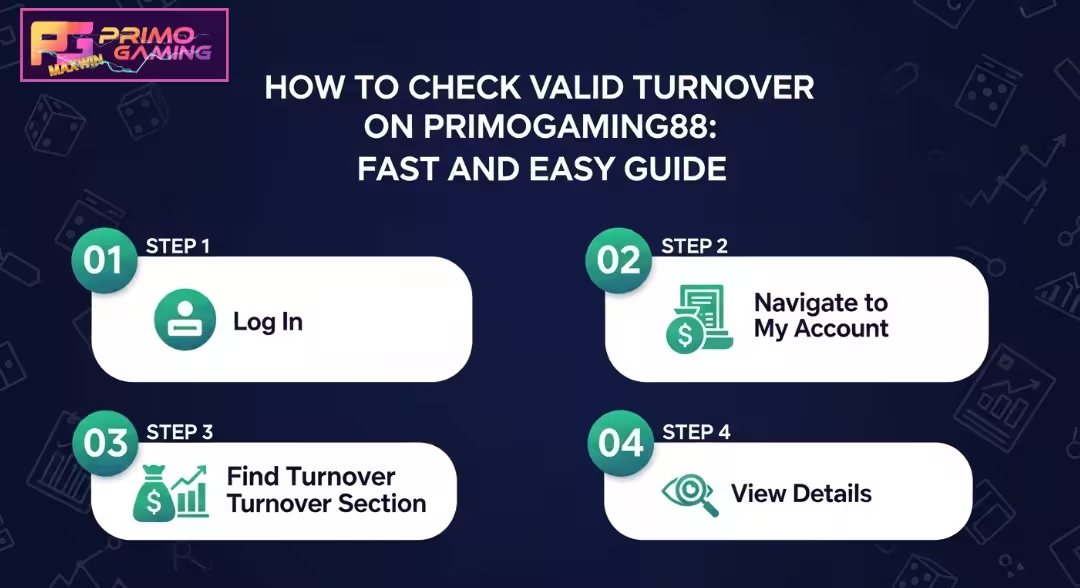
Follow these simple steps inside PrimoGaming99 account.
Enter username and password securely. OTP verification may appear depending on account settings. Always ensure login from official platform page.
After login, access main dashboard. This area holds wallet, profile, and activity tools.
Select transaction or betting history tab. This page shows full list of betting activity.
Use filters such as:
Filtering helps isolate relevant turnover activity.
Check section labeled eligible bets or turnover contribution. This shows total qualifying wagers.
If bonus is active, match current turnover against required amount. This shows remaining progress clearly.
Turnover calculation is based on qualifying wagering activity. System automatically separates eligible bets from non-eligible ones.
Simple formula:
Valid Turnover = Qualified Bets – Excluded Bets
Example scenarios:
System updates data after game settlement to ensure accuracy.
Sometimes players notice differences in expected vs displayed turnover. Several reasons explain this:
Some bets remain unsettled. Turnover updates after final result.
Certain games may not contribute while bonus is active.
Sports bets cashed out early may reduce contribution.
Short delay may appear during peak activity hours.
Wrong date range or game filter may hide relevant entries.
Checking these areas usually resolves confusion quickly.
Managing turnover becomes easier with consistent habits.
Helpful practices include:
These habits reduce mistakes and improve tracking accuracy.
Different promotions use turnover requirements in different ways.
New players often receive bonus funds that require turnover completion before withdrawal.
Extra deposits may include additional wagering conditions.
These usually contribute partially or follow restricted rules depending on game type.
Always review bonus conditions before activation to avoid misunderstanding progress.
PrimoGaming99 supports safe and controlled gaming behavior. Turnover tracking should always support enjoyment, not pressure.
Decide spending limits before starting gameplay. Stick to those limits regardless of outcome.
Increasing bets to recover losses can lead to poor decisions. Maintain steady control.
Short breaks help maintain clear thinking and reduce fatigue during long sessions.
Be mindful if:
Account tools may include:
If gaming starts affecting daily life, reach out to support services or trusted professionals. Help is always available.
Responsible gaming keeps experience safe, balanced, and enjoyable.
PrimoGaming99 uses structured systems to ensure accurate turnover tracking.
Key protections include:
These measures ensure every player sees fair and consistent turnover calculations.
Valid turnover tracking helps every player stay aware of progress, especially during bonuses or promotions. Understanding how it works removes confusion and improves overall experience.
Key takeaways:
PrimoGaming99 provides clear tools so every player can track activity with confidence and play with full awareness of their progress.
Everything becomes easier once valid turnover is clear and visible inside your account. No guessing, no confusion, just direct tracking from your dashboard.
If bonus is active or withdrawal is next step, now is the right time to review progress and make sure requirements are on track. A quick check can help avoid delays and keep gameplay smooth.
Head to PrimoGaming99 account, open transaction history, and view valid turnover status in real time. Stay updated, stay in control, and keep gaming experience simple and transparent.
Valid turnover is total amount of eligible bets that count toward bonus requirements or withdrawal conditions. It excludes void bets, restricted games, and other non-qualifying activity.
Total bets include all wagering activity, while valid turnover only includes qualifying bets. Some games, bonuses, or canceled wagers may not count.
Most turnover updates appear after game results are settled. Some entries may reflect instantly, while others update after short processing time.
No. Only eligible games contribute. Some bonus restrictions may limit which games count toward turnover progress.
Yes. PrimoGaming99 dashboard is fully mobile-friendly. Players can check turnover anytime using mobile browser or app access.
First, recheck filters like date range and game type. If issue remains, contact customer support for review and clarification.
Yes, especially when bonuses are active. Many promotions require completing valid turnover before withdrawal becomes available.